Studio Setup Tips for Creators
Configure a professional studio environment that supports your creative workflow from the moment you arrive.
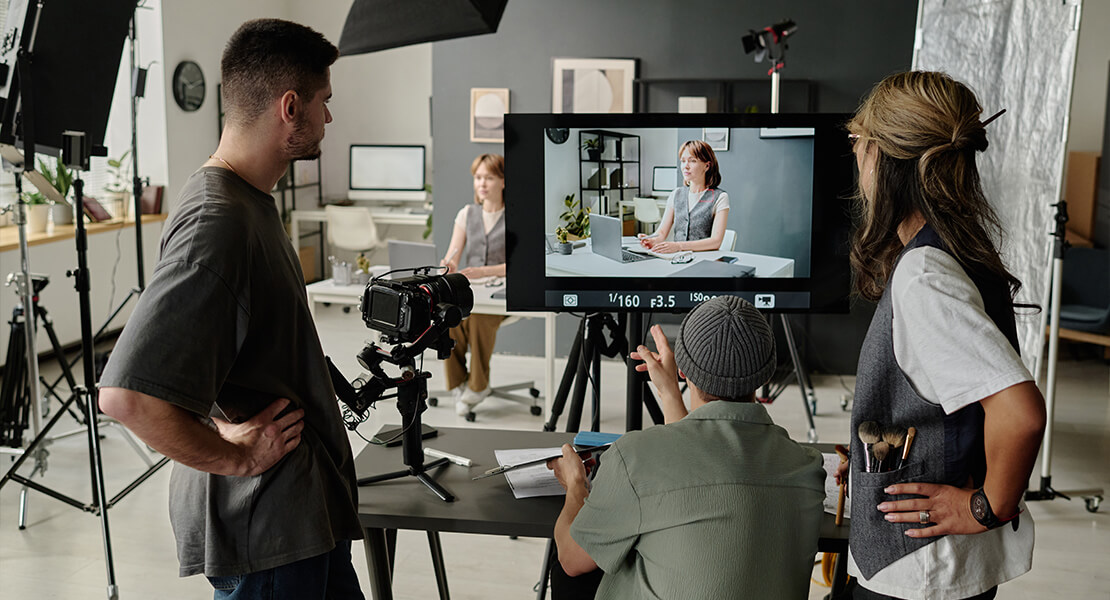
Small-team video production has become significantly more achievable over the past decade. Camera technology, editing software, and the accessibility of professional studio rentals mean that a team of two or three people can now produce work that would have required a much larger crew not long ago. That accessibility brings its own challenges: when you are simultaneously the director, the camera operator, and the client liaison, you need to be more organized and more deliberate with your planning — not less.
This article covers the fundamentals of small-team video production from pre-production through to post, with specific attention to how a studio rental fits into and supports that workflow.
The amount of time a production spends on set is, in many ways, the least important variable in determining its quality. A shoot day is expensive — in studio rental costs, in crew time, in the availability of talent. Pre-production is where you do the work that makes the shoot day productive rather than frantic.
Pre-production for a studio shoot involves four essential activities: defining the deliverables, writing a shot list or script, creating a production schedule, and confirming equipment needs. Each of these is straightforward in concept but requires honest attention to detail in practice.
Defining the deliverables means being specific about what the finished product needs to be. Not "a product video" but "a 60-second hero video for a product page, formatted 16:9, plus three 15-second cut-downs for social media in 9:16." That specificity determines your shot list, your lighting approach, and your editing time. Without it, you risk finishing the shoot day with beautiful footage that doesn't actually assemble into what was needed.
A shot list is a simple document that itemizes every shot you plan to capture during the shoot. It includes the shot type (wide, medium, close-up), the subject or action being captured, any specific camera movement involved, and any notes about lighting or framing. For a small team, the shot list is particularly valuable because it means the camera operator doesn't need constant direction — everyone knows what comes next.
A well-prepared shot list also prevents the common problem of leaving the studio and realizing you're missing a critical cutaway or establishing shot. Walking through the script or finished edit structure in your head before the shoot, and asking yourself what visuals are required to tell the story at each point, is the most reliable way to build a comprehensive shot list.
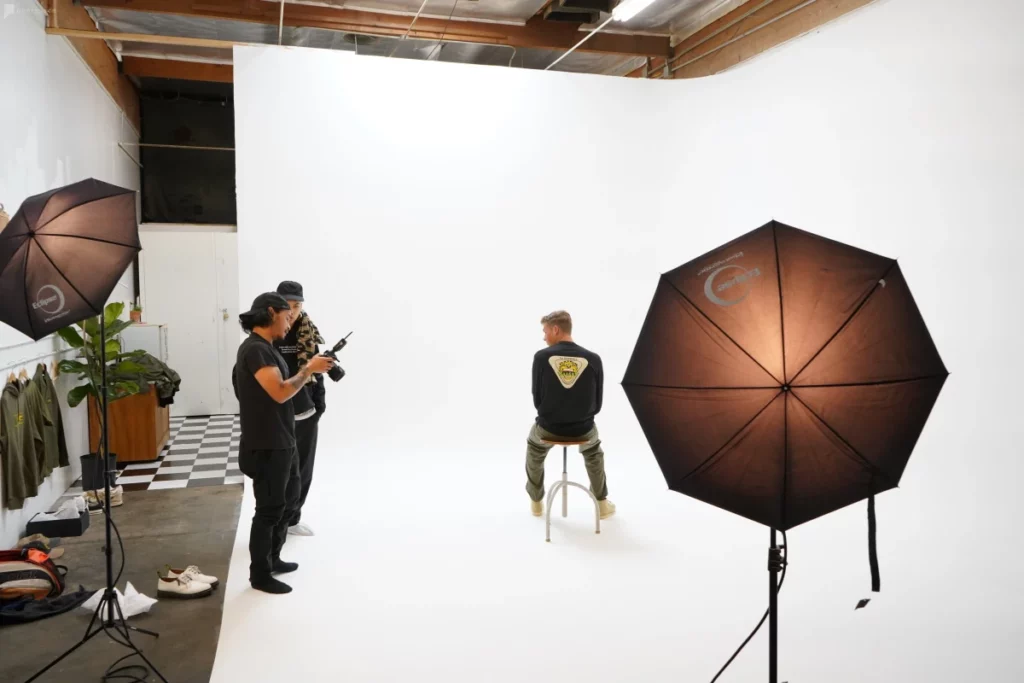
Arriving at a studio for a video shoot without a setup plan is the most common avoidable mistake in small-team production. Before your studio booking, review the space specifications — dimensions, ceiling height, available equipment, power points — and map your set layout on paper. Know where the camera will be positioned, where the subject will be, where the key light will go, and where your monitoring station will be set up.
For most interview or talking-head formats, a simple three-point lighting setup (key, fill, and backlight) is the appropriate starting point. Position the key light at roughly 45 degrees to the camera axis and slightly above eye level. Use a reflector or a second, lower-intensity light as fill on the opposite side. A hair or rim light positioned behind and above the subject creates depth and separates them from the background.
Background depth is one of the most significant compositional differences between amateur and professional video. Placing your subject close to the background flattens the image. Moving them forward in the frame — even 1.5 to 2 metres away from the backdrop — introduces depth, allows you to separately control background illumination, and creates the pleasing bokeh that most viewers associate with professional-looking footage.
Research consistently shows that audiences tolerate imperfect picture quality far more readily than poor audio. A slightly soft image is accepted; a muddy, echoey, or distorted audio track causes viewers to disengage and perceive the entire production as unprofessional. Audio is, in practical terms, the most important technical element in the finished product — and it is also the element most frequently neglected in small-team productions.
The first principle of good production audio is proximity. Microphones capture better signal when they are close to the source. For interview formats, a lavalier microphone clipped to the subject's clothing and positioned roughly 20 centimetres below the chin will almost always produce better audio than a boom microphone positioned at a polite distance. The tradeoff is the time required to fit and manage the lav — but in most studio contexts, that tradeoff is worth it.
Test your audio in every space before you start recording performance. Clap once and listen to the room response. Record a short test clip and play it back through headphones. Studio spaces with hard floors and bare walls will have noticeably more room echo than treated spaces. You can reduce this by adding soft furnishings — a rug under the shoot area, a fabric backdrop behind the camera — and by keeping microphones close to subjects.
Unless you're working with experienced on-camera talent, one of the most practically challenging parts of a studio shoot is helping people perform naturally in an unfamiliar environment. A professional studio, with its lights, cameras, and crew, is an unusual context for most people. They feel observed and self-conscious, which tends to produce stilted, unnatural delivery.
The most effective approach is to reduce the formal production atmosphere before you roll. Have a conversation with your subject as the space is being set up. Talk about the content rather than the logistics. Explain the process clearly so that nothing feels surprising when the camera begins to record. When you are ready to shoot, do a run-through before calling "action" — let people make their mistakes in a low-stakes context first.
For interview formats, positioning yourself close to the camera and maintaining eye contact with your subject during their answers creates a natural direction of gaze and encourages more engaged, conversational delivery than simply pointing a camera at someone and asking them to speak.
Even on a small production, basic capture discipline saves significant time in the edit. Use a slate — a physical or digital clapperboard — at the beginning of each take. The slate synchronizes audio and video and provides a reference point for the editor when organizing footage. Name your clips consistently: scene number, shot number, and take number gives you a searchable library from which you can work efficiently.
Get multiple takes of every important piece. For performance-critical shots — a key interview answer, a product demonstration, a scripted line — you want at least three takes that you consider usable. In editing, having options is almost always more valuable than having one theoretically perfect take.
The editing phase is where the production comes together, and for small teams, it can easily consume more time than anticipated if the footage isn't organized from the outset. Before you begin editing, import all footage and audio into a clearly organized folder structure, back up your original files to a separate drive, and create a rough assembly by pulling the best takes of each required shot into the timeline in sequence.
Work from rough to fine. The assembly edit is simply about structure — getting the content into the right order. The rough cut addresses timing, pacing, and transitions. The fine cut refines everything down to the frame level and incorporates music, graphics, and color correction. Treating these as separate passes, rather than trying to perfect every element in one pass, is more efficient and produces more coherent results.
Color grading — the process of adjusting the visual tone and color characteristics of footage — is one of the most impactful improvements you can make in post-production relative to the time invested. Even a modest, consistent grade that gives your footage a unified look will make a significant difference to the perceived quality of the finished piece.
Small-team video production is genuinely achievable at a professional standard when the preparation is thorough and the on-set discipline is consistent. A studio rental removes many of the variables that complicate location shooting — weather, ambient noise, unpredictable light — and gives you a controlled environment in which good preparation directly translates into good results.
The most important takeaway from this guide is the same one that experienced producers return to repeatedly: invest in pre-production. The planning you do before the shoot day is the work that determines the quality of what comes out of it.
Book a Video Production Studio
Luxaviro offers production-ready video stages with soundproofing, 4K monitors, green screens, and full lighting rigs — available to rent by the day across our locations.
View Video Studios